
Qivora: Comic Reader for Android
Qivora is a comic reader from AxyTech for organizing your library and reading comics comfortably on Android.
Qivora is for comic readers who want a tidy way to manage titles and pick up where they left off. The app is free with no ads and no in-app purchases, and it works without an account, offering offline reading and a clean vertical layout. It requires Android 7.0 or higher, takes about 1 MB, and supports English, Spanish, French, Portuguese, and Russian.
Screen gallery

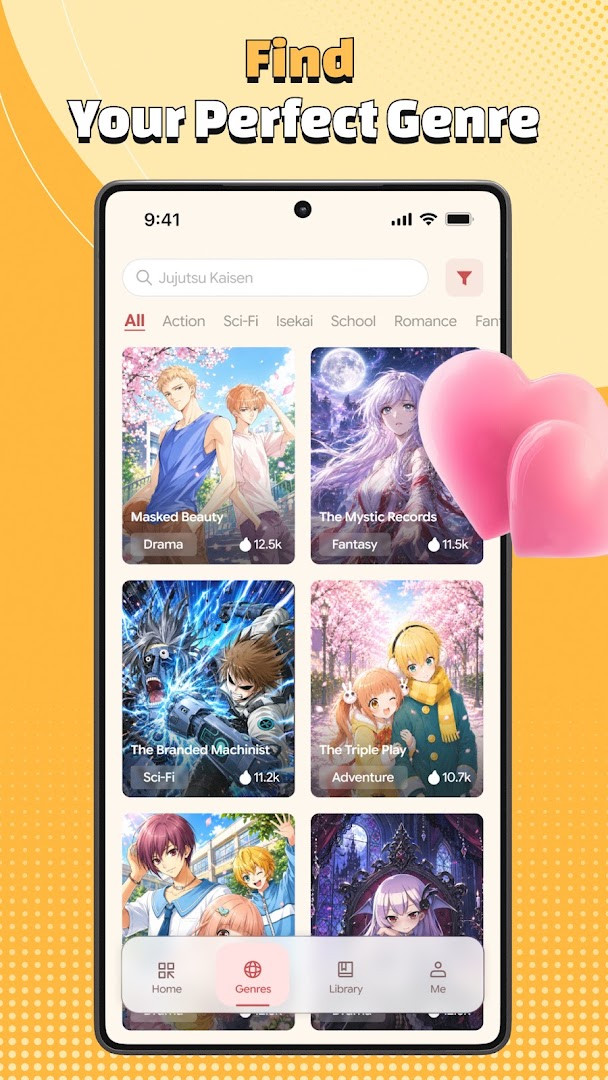

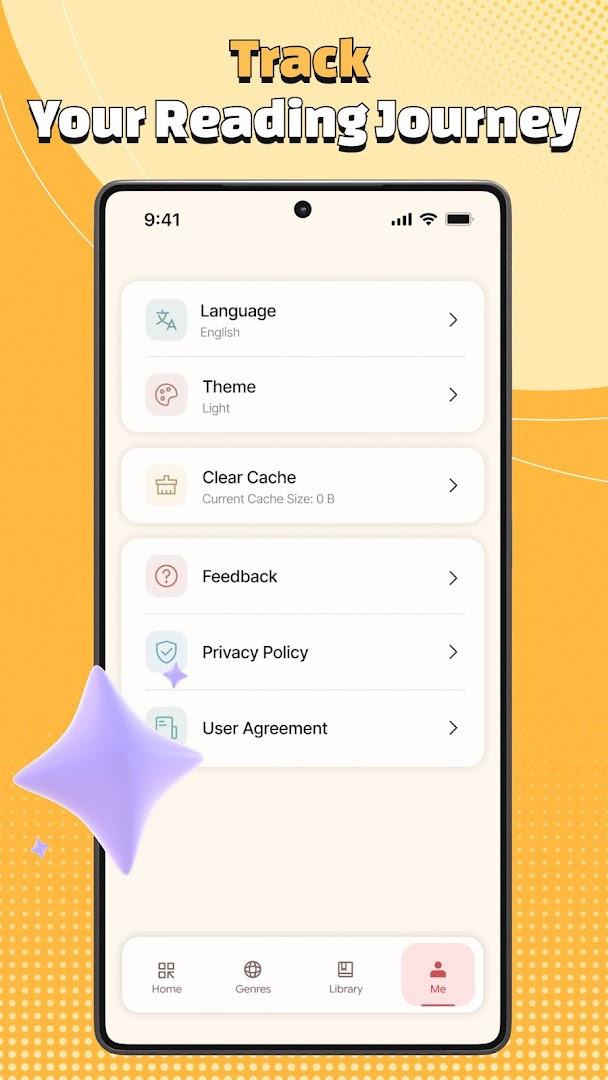
Qivora: Comic Reader is a comic reading application by AxyTech that helps users organize, browse, and enjoy digital comics through a simple library and clean vertical reading layout. Designed for readers who prefer a straightforward approach, the app lets you save titles into a personal library, track your reading history, and jump back into a comic exactly where you left off. Instead of cluttering the experience with complex tools, Qivora focuses on the essentials: finding something to read, keeping your collection tidy, and turning pages without distractions. The interface is intentionally minimal, so you spend more time reading and less time navigating menus.
For everyday use, Qivora works well whether you read a few pages during a commute or settle in for a long session. The library acts as your central hub, where you can store titles you want to revisit, while the reading history automatically remembers recently opened comics and your last position in each one. Browsing is handled through available categories, letting you explore collections that match your interests without needing a detailed search system. The vertical scrolling layout is smooth and comfortable, making it easy to progress through a story on a phone screen.
The app also supports multiple interface languages, including English, Spanish, French, Portuguese, and Russian, which broadens its appeal to non-English readers. Since it targets Android 7.0 and newer devices, it covers a wide range of hardware, from older handsets to current models. Qivora is free to use with no ads and no in-app purchases, so the reading experience remains uninterrupted. The content rating is Mature 17+, meaning it is intended for adult audiences, which is important to consider before downloading. Overall, this is a practical tool for anyone who wants a no-frills comic reader that prioritizes organization and reading comfort.
Key features
- Library: Save titles and keep your reading list organized
- Reading history: Return to recently opened titles and continue from your last position
- Personalized browsing: Explore available categories and find titles that match your interests
- Comfortable reading: Clean layout with smooth vertical scrolling
- Multi-language interface: English, Spanish, French, Portuguese, or Russian
- Performance improvements: Faster app startup and smoother page loading
- Smart chapter preloading: Seamless reading transitions between chapters
- Bug fixes and overall stability improvements
How to install
- Tap the download button on this page to get the APK file. The file size is not specified, and the app requires Android 7.0 or newer.
- When Android prompts you, allow your browser or file manager to install apps. Look for the 'Install unknown apps' setting and grant permission for the app you are using.
- Open the downloaded APK file from your notifications or file manager.
- Tap Install and wait for the process to finish. The installation may take a moment depending on your device.
- Open Qivora from your app drawer and start setting up your library.
- If you have an older Android version below 7.0, the app will not install, so check your system settings first.
Pros
- Free with no ads and no in-app purchases
- Simple and clean vertical reading layout
- Library and reading history make it easy to pick up where you left off
- Multiple language options for a wider audience
- Recent performance improvements for faster startup and smoother loading
- Requires only Wi-Fi connection information permission, which is minimal
Cons
- Content rating is Mature 17+, so it is not suitable for younger readers
- No detailed search function; browsing relies on categories
- The app does not specify file size, which may be a concern for users with limited storage
- Only one version listed, so update frequency may be limited
Recent updates · 1.6.14
Qivora: Comic Reader version 1.6.14, released on September 2, 2026, brings a noticeably faster startup and smoother page loading, thanks to overall performance enhancements. Reading is also more seamless with the addition of smart chapter preloading, which helps transitions between chapters feel more fluid. Along with these improvements, the update includes various bug fixes and stability refinements for a more reliable experience.
Version history
| Version | Size | Requires Android | Updated |
|---|---|---|---|
| 1.6.14 | — | 7.0 | Sep 2, 2026 |
Qivora is for adult comic readers who want a straightforward, organized reading experience without ads or extra purchases. It suits people who like to keep a personal library, track their reading progress, and browse by category rather than use complex search tools. The multi-language support also makes it a good choice for non-English speakers.
To get the most out of Qivora, save titles to your library as soon as you find something interesting, so you do not lose track of them. Use the reading history to quickly return to comics you have opened before, and take advantage of the smart chapter preloading to avoid waiting between chapters. Since the app is free with no ads, you can explore different categories without any cost, but remember the Mature 17+ rating when deciding what to read.
Permissions
Frequently asked questions
Is Qivora: Comic Reader free to download and use?
Yes, the app is completely free with no purchase price, no ads, and no in-app purchases.
What Android version do I need to install the app?
The app requires Android 7.0 or higher. The latest version is 1.6.14, released on September 2, 2026.
Does the app require an account to use?
No account is needed. You can browse collections, save titles to your library, and track your reading history without signing up.
What permissions does the app request?
The app only requests permission for Wi-Fi connection information, which is used to support network-related features.
How do I update Qivora to the latest version?
To update, simply download the newest version from this page and install it over your current installation. The latest release is version 1.6.14.
What reading features are included in the app?
The app offers a clean vertical reading layout with smooth scrolling, smart chapter preloading, library management, reading history, and a multi-language interface supporting English, Spanish, French, Portuguese, and Russian.
Qivora: Comic Reader delivers a clean, practical way to manage and read comics on Android. With a simple library, reading history, and smooth vertical scrolling, it covers the basics well for everyday use. The lack of ads and in-app purchases is a clear plus, and the recent performance updates make it more responsive. If you are an adult reader looking for a no-nonsense comic app, Qivora is a solid choice.
Similar apps



Updated: Nov 9, 2026
| Version | Size | Requires Android | Updated |
|---|---|---|---|
| 1.6.14 | — | 7.0 | Sep 2, 2026 |
- Version
- 1.6.14
- Requires Android
- 7.0
- Updated
- Sep 2, 2026
- Installs
- 1M+
- Rating
- ★ 4.32 (39,347)
- Category
- Comics
- Developer
- AxyTech
- Content rating
- Mature 17+
- Package
- com.panlix.app
- Free
- ✓