scorecounter for Android
scorecounter is a free score counting app from Simeon Simeonov for head-to-head games between two teams or participants.
scorecounter is for parents who want to record a child's football match score and for anyone tracking head-to-head competition between two teams or participants. The app is free, has a size of 25 MB, and runs on Android 7.0 or later. It does not require network access or additional permissions, and each side gets a red or blue button for adding points.
Screen gallery
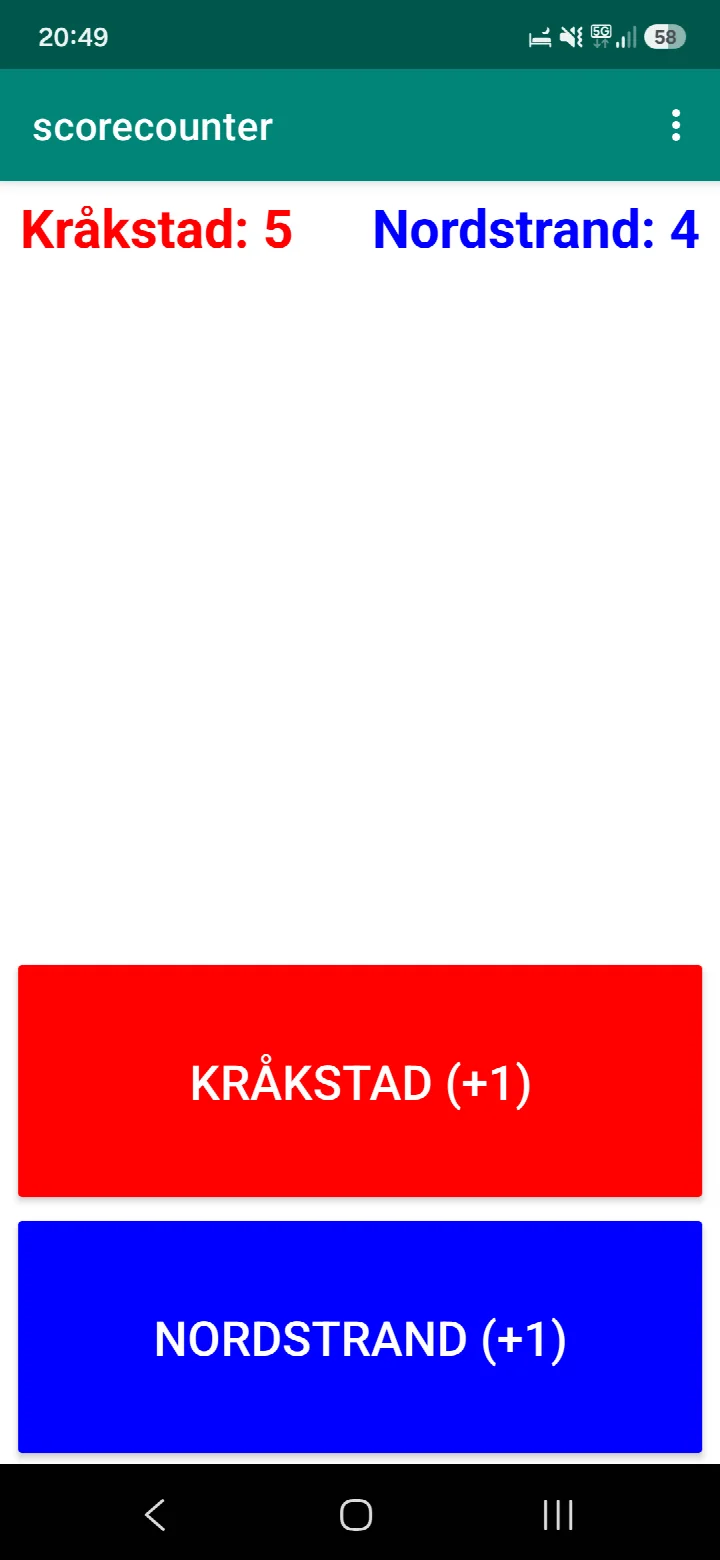
scorecounter is a Health & Fitness app by Simeon Simeonov that keeps a live tally of points between two opposing teams or players during head-to-head games. The tool is built around a single, straightforward idea: when someone scores, you tap the corresponding red or blue button and the count updates instantly. There is no setup wizard, no account creation, and no extra screen clutter beyond the counters themselves.
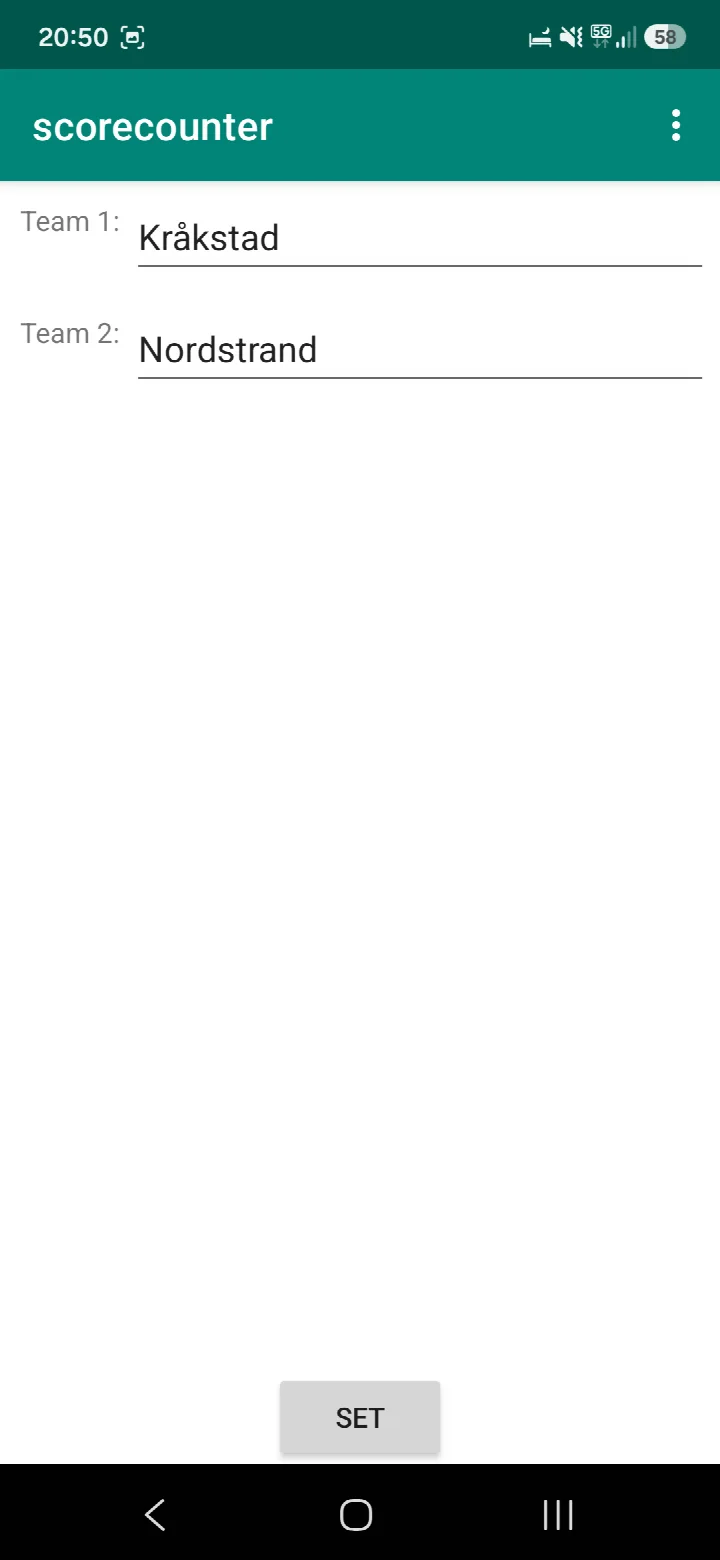
Because it runs entirely on the device, the app works with no network connection and asks for no special permissions, which makes it a practical companion on the sideline of a child's football match. Parents can record the score as the game flows instead of relying on memory or scribbled notes. Each side can be given a custom name, so the display always shows exactly whose points are being counted.
The current release, version 1.2.1, arrived on June 21, 2026, and is the first version of the program. Following the principles of free software, it carries no advertisements, does not track user behavior, and is available at no cost. For a simple utility meant to fade into the background of a lively game, the approach feels honest: there is nothing pushing you to upgrade and nothing waiting to harvest your data.
Key features
- Two large touch buttons, one red and one blue, for quick point entry
- Custom names for each team or participant so the scoreboard is easy to read
- Works fully offline with no network access required
- No advertisements and no user tracking of any kind
- No special permissions requested by the app
- Compact interface designed for quick taps during an active match
- Free and open-source software licensed under GPL-3.0-or-later
How to install
- Make sure your device runs Android 7.0 or newer, then tap the download button on this page to save the APK file (25 MB).
- When Android asks, allow your browser or file manager to install apps by enabling the Install unknown apps setting for that source.
- Open the downloaded scorecounter APK file from your downloads or notifications.
- Tap Install and wait a few moments for the process to complete.
- Open the app from your app drawer and begin recording scores right away.
Pros
- Completely free with no in-app purchases or upgrade pressure
- Privacy-friendly: no ads, no tracking, and no network requests
- Offline operation makes it reliable on the sidelines, even in areas with poor signal
- Very easy to learn, even for someone who is not comfortable with phones
- Lets you personalize team names to fit any match
Cons
- Designed strictly for two sides, so games with more than two participants are not supported
- Deliberately minimal, with no score history, statistics, or cloud backup
Version history
| Version | Size | Requires Android | Updated |
|---|---|---|---|
| 1.2.1 | 25 MB | 7.0 | Jun 21, 2026 |
scorecounter suits parents recording a child's football or hobby match, casual players keeping tally during board or card games, and coaches or referees who want a quick digital scoreboard on the sideline.
Take a quiet moment before the match to type in the custom team names so the display is immediately clear when the action starts.
Frequently asked questions
What do I need to install the APK on my Android device?
The app is an APK that installs on Android 7.0 or newer. The package takes up about 25 MB on your device.
What is the current version of the app?
The current version is 1.2.1, released on June 21, 2026.
Does the app include ads or in-app purchases?
No. The app has no ads, no tracking, and is fully free. It is released under the GPL-3.0 license, so there are no paid features.
Can I use the app without an internet connection?
Yes. The app does not require network access and requests no additional permissions, so it works fully offline.
Are there alternative scorekeeping apps in the same category?
Yes, other sports and health apps offer score tracking, but this one focuses on simplicity with no ads and no tracking.
Can I customize names in the app?
Yes. You can assign custom names to teams or participants, and you tap the red or blue button when someone scores.
What category does this app belong to?
It is listed under Sports & Health and is designed for counting scores in head-to-head games between two teams or participants.
scorecounter is a deliberately small app that does one thing well: keeping a visible and accurate tally for two-sided games. It is free, privacy-friendly, and simple enough to use in the middle of a hectic match, though its lack of extras means it will not replace a full sports statistics tool. For everyday scorekeeping needs, it is easy to recommend.
Similar apps







Updated: Nov 26, 2026
| Version | Size | Requires Android | Updated |
|---|---|---|---|
| 1.2.1 | 25 MB | 7.0 | Jun 21, 2026 |
- Version
- 1.2.1
- Size
- 25 MB
- Requires Android
- 7.0
- Updated
- Jun 21, 2026
- Category
- Health & Fitness
- Developer
- Simeon Simeonov
- Package
- org.pichove.scorecounter
- Free
- ✓