ใส่คำ (อันเก่า) for Android
ใส่คำ (อันเก่า) is a photo editing app from Sirisilp Kongsilp for creating word pictures without the need for an account or internet connection.
ใส่คำ (อันเก่า) is designed for users who want to combine words with images, offering options to move, rotate, and resize text along with font and color adjustments. It is free, compatible with Android 4.2 and above, and does not include in-app purchases.
Screen gallery
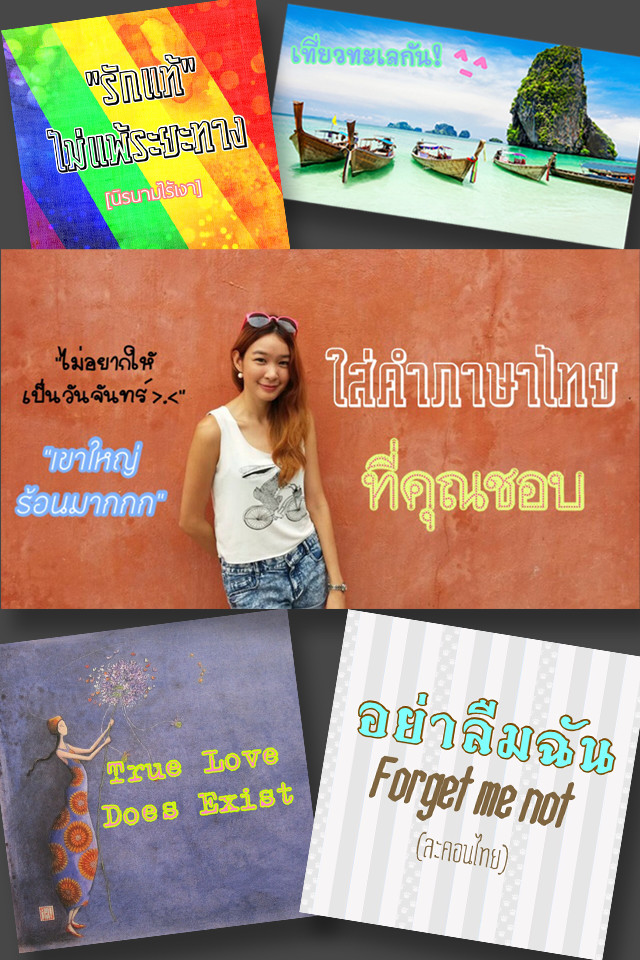
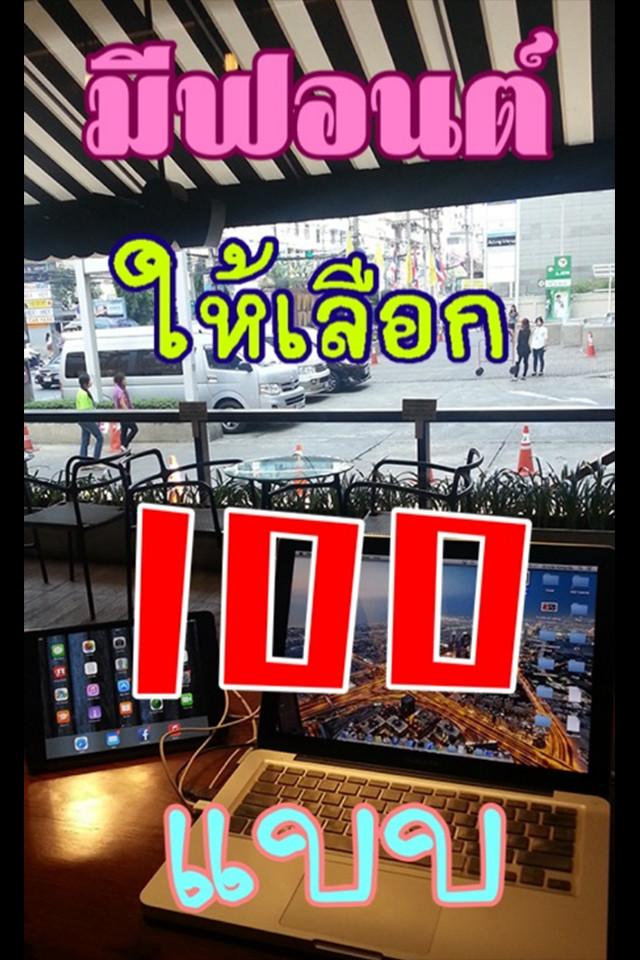
ใส่คํา (อันเก่า) is a photography utility by Sirisilp Kongsilp that overlays customizable text onto images. Originally released in 2014, this app has remained a niche favorite for users who want to add Thai-language captions, quotes, or decorative lettering to their photos without dealing with complex editing suites. The latest 1.3 update from September 2025 keeps the experience straightforward, focusing on core functionality over flashy additions.
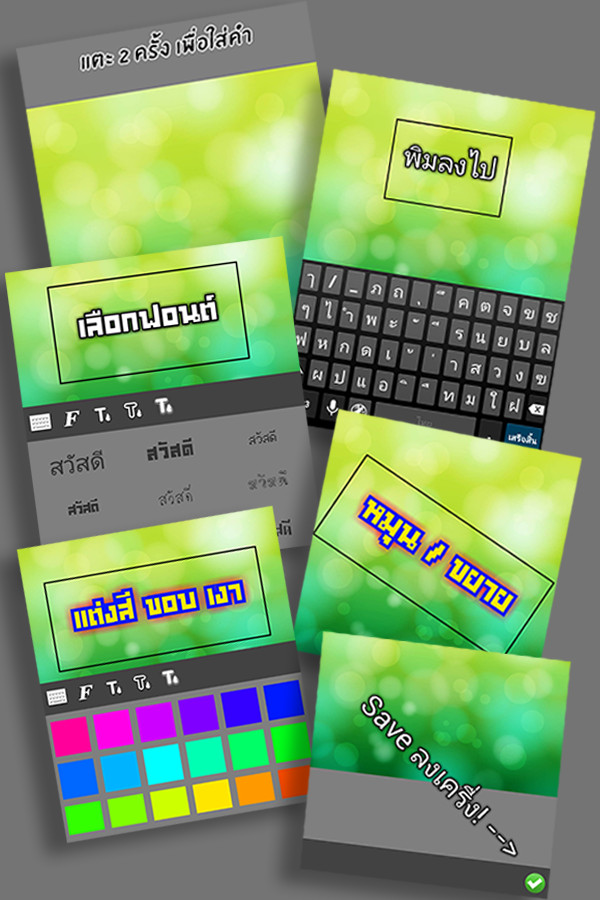
At its heart, the app lets you tap any spot on a picture to drop a text layer, then move, rotate, and resize it until it fits your composition. Beyond positioning, you can switch between a curated collection of fonts, adjust the color of the text, its border, and its shadow, and even add background colors or images to build a more elaborate layout. The developer emphasizes that all included fonts are free, with no in-app font purchases, which is a refreshing stance in an era of subscription-based editing tools.
For those comparing alternatives, this app stands out for its focus on the Thai language. While it supports over 100 languages, its design and font selection are clearly tailored to Thai users, featuring carefully chosen typefaces from more than 100 Thai artists. The interface is minimal, the workflow is quick, and the app runs on devices as old as Android 4.2, making it accessible even on dated hardware. It does include ads, but there are no in-app purchases, so the full feature set is available from the start.
Key features
- Tap on the picture to add a word or phrase at any location
- Move, rotate, and enlarge text layers freely
- Switch between a variety of fonts, including Thai-specific designs
- Customize text color, border color, and shadow color
- Add background colors or images to enhance the composition
- All fonts are free, with no hidden purchases
- Supports over 100 languages for text input
- Lightweight app at 27 MB, works on Android 4.2 and up
- No in-app purchases; the full toolset is unlocked
How to install
- Tap the download button on this page to get the APK file (27 MB).
- When your browser or file manager asks for permission, enable the 'Install unknown apps' setting for that app.
- Open the downloaded APK file from your notifications or downloads folder.
- Tap 'Install' and wait for the process to finish.
- After installation, open the app from your app drawer or home screen.
- Ensure your device runs Android 4.2 or higher to meet the minimum requirement.
Pros
- Simple, intuitive interface for quick text overlays
- Excellent Thai font selection, curated from local artists
- No in-app purchases – all fonts and features are free
- Light on resources, suitable for older devices
- Supports many languages, not just Thai
- Frequent updates, with a recent 2025 refresh
Cons
- Includes ads, which can interrupt the workflow
- Lacks advanced editing tools like layers or blending modes
- Limited to basic text manipulation – no stickers or filters
- Requires storage permissions, which may concern privacy-focused users
- Interface and documentation are primarily in Thai, which may pose a barrier for non-Thai speakers
Version history
| Version | Size | Requires Android | Updated |
|---|---|---|---|
| 1.3 | 27 MB | 4.2 | Sep 29, 2025 |
This app is ideal for Thai speakers who want to add elegant, localized captions to their photos, casual social media users who need a quick and simple text overlay tool, and anyone on an older Android device looking for a lightweight, free utility without in-app purchases.
To achieve a clean look, try tapping the image to place text first, then rotate and enlarge it before adjusting the border and shadow colors – this order helps you see the final effect without redrawing the text layer.
Permissions
Frequently asked questions
What does the app name 'ใส่คํา (อันเก่า)' mean in English?
The title translates to 'Enter Word (Old Version)' in English, and it refers to the program's core activity of putting words into pictures.
How many artists contributed the fonts featured in the app?
The app is specifically designed for Thailand with beautiful characters contributed by more than 100 Thai artists, all of whose work was selected carefully.
Can I edit the words after placing them on a picture?
Yes, after tapping a picture to select a word, you can move, rotate, and enlarge the words as you like.
Are there any paid fonts inside the app?
No, all fonts included are completely free, and the app does not sell any fonts within its interface.
What customization options are available for the text appearance?
You can change the font, as well as adjust the color of the border and shadow applied to the letters.
ใส่คํา (อันเก่า) is a dependable choice for quick, free text-on-photo editing, especially for Thai users. While it lacks the depth of professional editors and includes ads, its simplicity, extensive free font library, and compatibility with older devices make it a solid utility for casual creators. For those who prioritize speed and language-specific aesthetics over advanced features, it delivers well.
Similar apps

Updated: Oct 24, 2026
| Version | Size | Requires Android | Updated |
|---|---|---|---|
| 1.3 | 27 MB | 4.2 | Sep 29, 2025 |
- Size
- 27 MB
- Requires Android
- 4.2
- Updated
- Sep 29, 2025
- Installs
- 1M+
- Rating
- ★ 4.5 (16,404)
- Category
- Photography
- Developer
- Sirisilp Kongsilp
- Content rating
- Everyone
- Package
- night.rabbit.textit
- Free
- ✓ · Contains ads